
01
Serro · 2026
Multiplayer AI: shared workspace for people and agents
Big engineering programs are scattered across Slack, Jira, code and meetings, making it difficult to coordinate between different teams. Serro is the infrastructure that curates all the relevant context to enable coordination between teams and agents.
- Role
- Founding product designer
- Timeline
- Nov 2025 – Oct 2026
- Team
- Me, the CEO and 6 engineers
- Platform
- Web app, plus MCP for agents
Overview
The program page became where the team coordinates
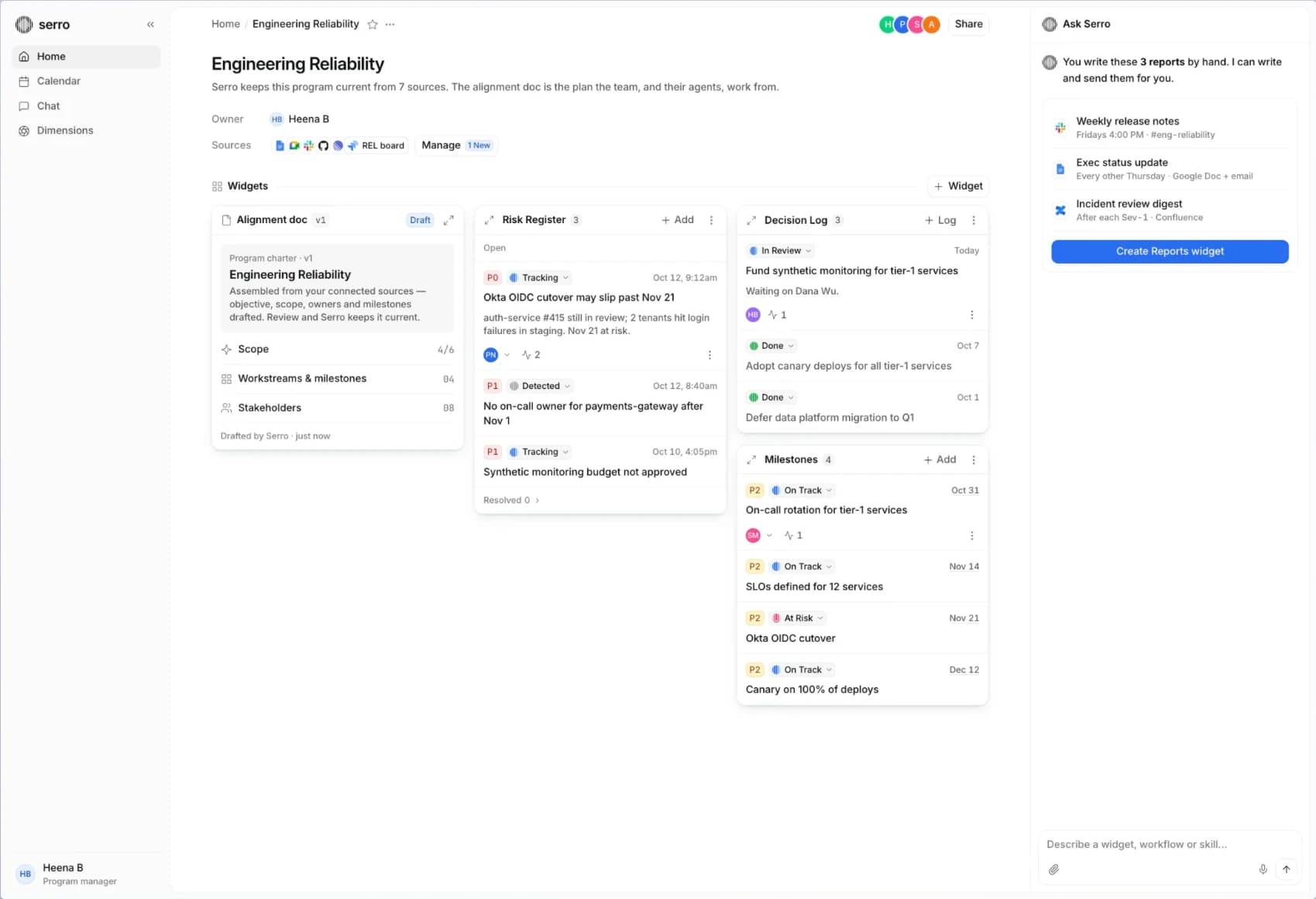
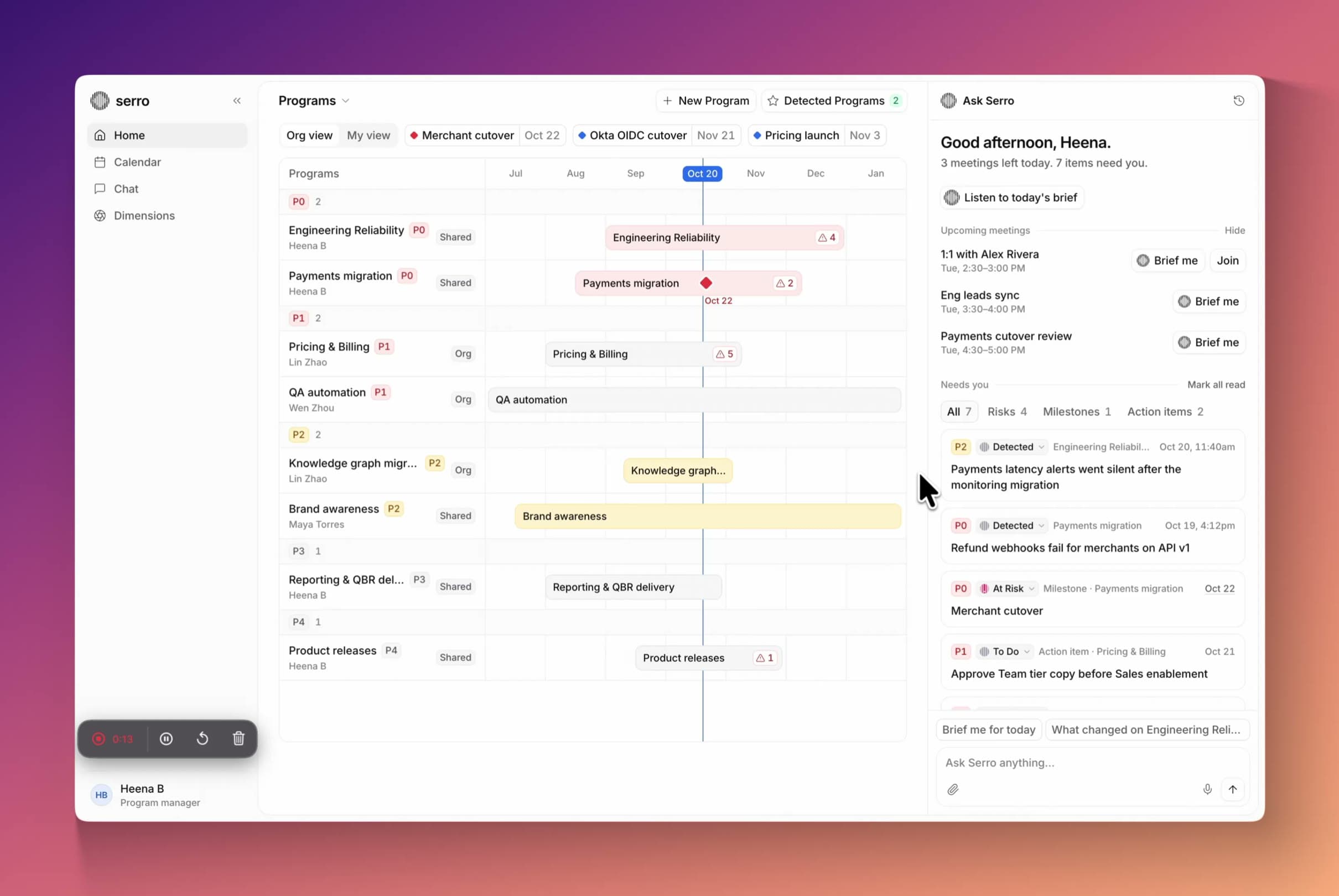
Serro is an AI workspace for engineering teams. A program is a big project that involves many teams, like a product launch, and the technical program manager (TPM) is the person in charge of it. They are the cross-team facilitators and track the plan and its execution. Serro collects updates from the team’s tools, drafts the plan, flags risks and writes the weekly report. Engineers’ and team members’ coding agents read the same page before they start a task.
The impact
Once everything about a program was in one place, the team could hand the busywork, like status reports, to Serro and to their own agents.
- Our first enterprise pilot became a paying customer on the strength of the program page.
- $200k ARR
- of report writing a year that one customer could hand to Serro.
- 2,856+ hrs
- of new programs had a published plan within their first month of onboarding.
- 95%
Problem
Nobody could see the whole program in one place
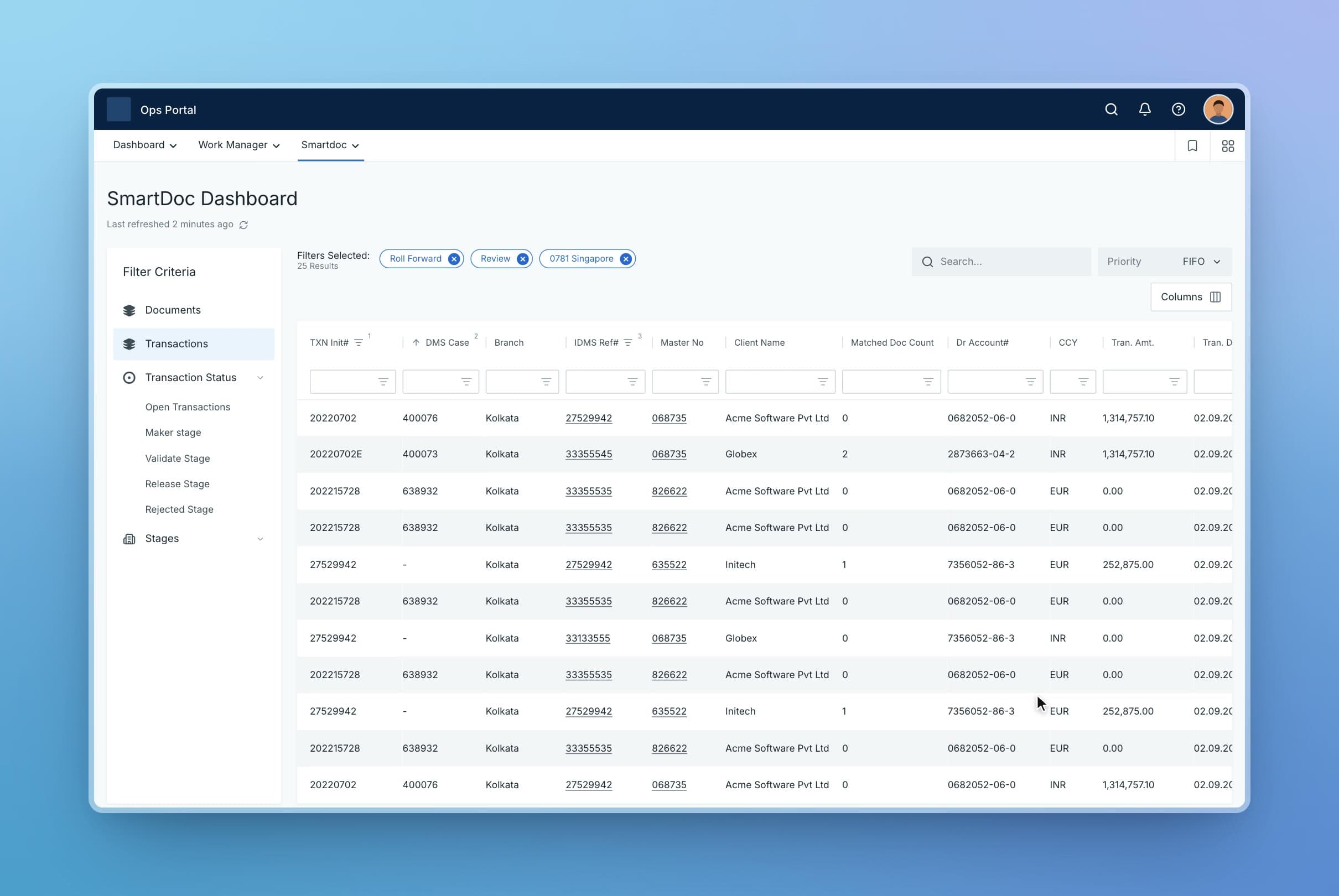
At a large engineering org, one program like a launch is usually scattered. The plan is in Confluence, the tickets are in Jira, decisions happen in Slack threads and meetings, and the rest lives in someone’s head. So whenever anyone wanted to know where things stood, they messaged the TPM or the PMs to chase status updates.
AI didn’t fix this. Each tool’s assistant only sees its own app, and each person’s chat is private. Nobody, human or agent, could answer for the whole launch. Coding agents were worse off: they guessed from whatever old tickets they could reach fastest.
A TPM’s week, before
- 01CaptureHunted for context across Slack, docs and meetings.
- 02CurateRewrote the plan after every meeting.
- 03AnticipateFound slips in the weekly review, too late to act.
- 04DeliverRebuilt the same Friday report by hand.
- 05ActChased owners one DM at a time.
Ideation
Exploring an interface for multiplayer AI
Testing early: the blank page lost people
Before drawing any screens, I tried different ways to hold a shared workspace. Each one was a familiar layout people already use every day.
The layouts we tried
- A blank canvas, like Figma. There was room for everything, but you started from an empty page and had to set it all up yourself.
- Folders, like Google Drive or Finder. It was tidy, but you had to know which folder to open. A risk could sit three clicks deep.
- An agent chat. Asking was easy, but you only saw what you thought to ask about.
- A timeline. It was good for dates, but decisions and risks don’t fit on a line.
- A chat panel on the side. It was helpful, but the panel was small, and the big picture was still missing.
What we learned
We tested these layouts with the new way of working. Each one hid part of the picture. People got stuck in three places: the blank page, where they had to set everything up before it was useful; not knowing where to look; and the same problems for AI agents, which also need to know where things are.
The solution
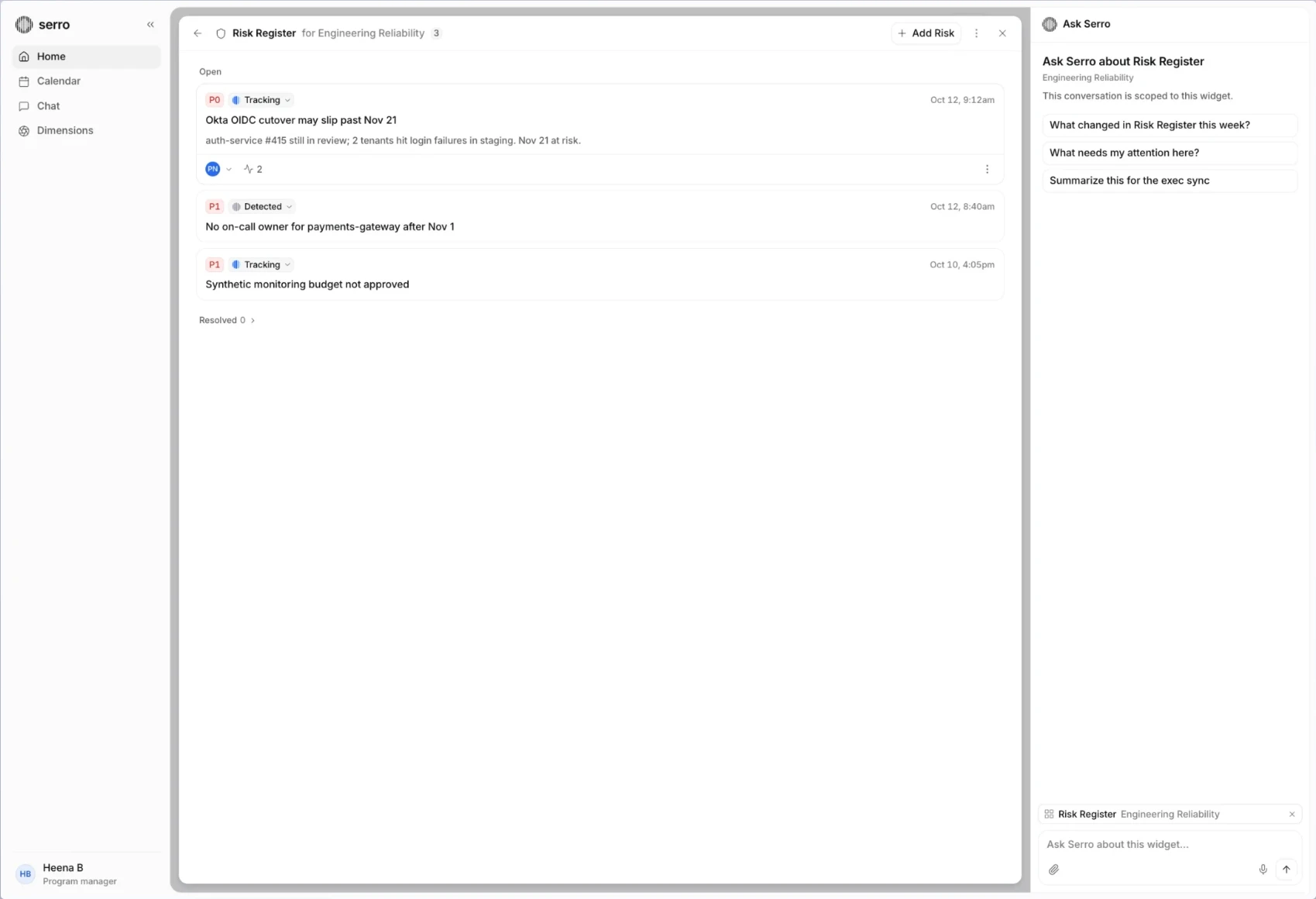
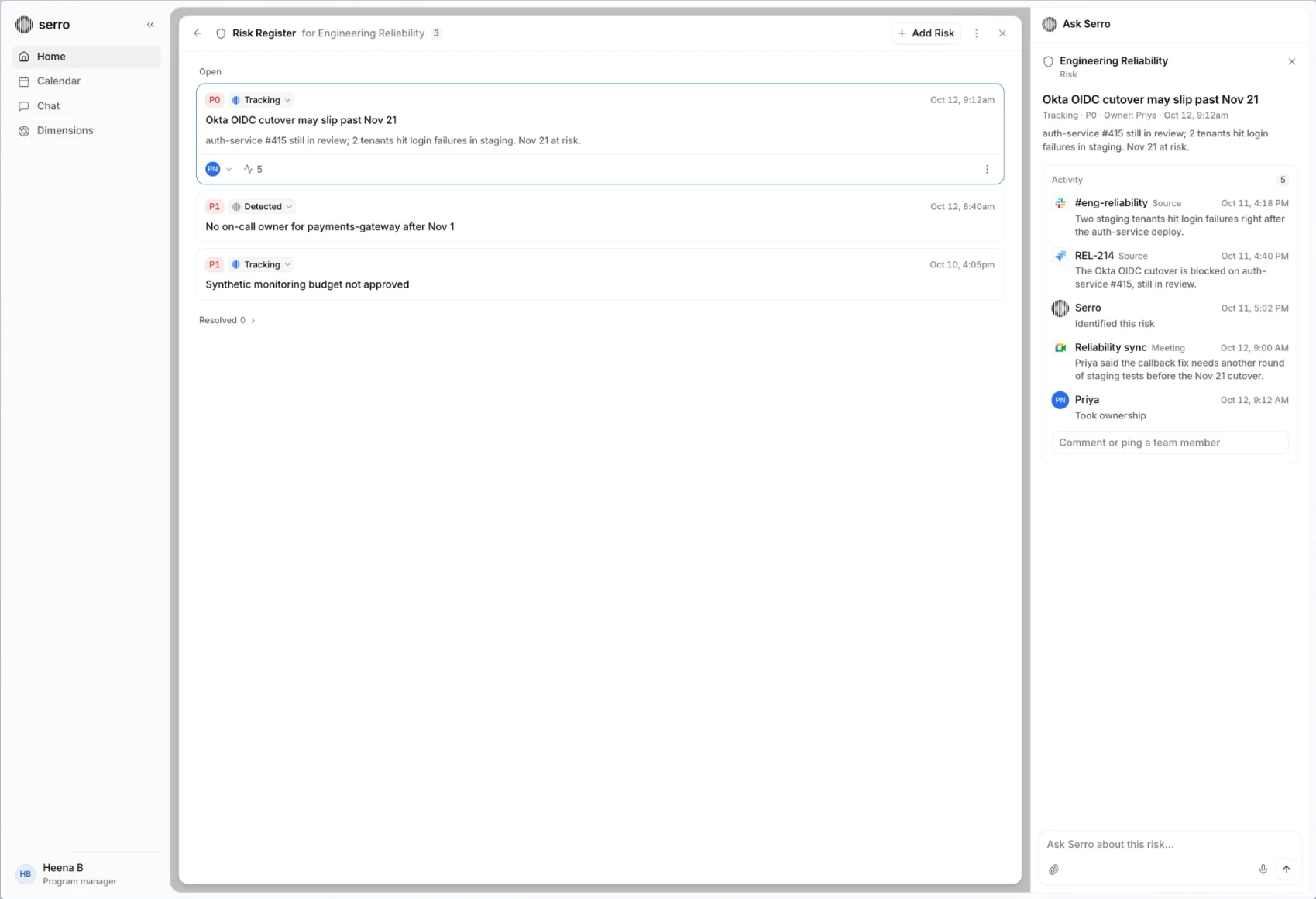
So I designed the page as a set of widgets. Each widget answers a question the team asks again and again: What are the risks? What did we decide? Are we on track? Instead of someone asking every week, the answer sits on the page and stays up to date. You can read it at a glance, open it to see more, or act on it right there.
These widgets fit together in a grid, like a bento box. That grid became the shared workspace for the team and their AI agents. People and agents look at the same widgets, so everyone works from the same picture.
The rules underneath
Four decisions shaped every screen above. Each one traded a little speed for trust.
Show changes as a diff
After a meeting, Serro proposes plan changes one line at a time, each with its source. The owner keeps or unticks each line, then publishes.
Tradeoff: review takes a few minutes, but the plan never drifts unseen.
Augment, don’t automate
The TPM sees the real output before automation turns on. Anything that changes shared state arrives as a proposal.
Tradeoff: some work waits on a click.
One memory for every agent
What agents learn shows up as memory, with sources. The plan itself belongs to people; memory can only propose changes to it.
Tradeoff: the plan updates more slowly, and people trust it more.
Make freshness visible
Every widget says when it last updated and has a refresh control, so people can see and ask for fresh data.
Tradeoff: a widget can be a few hours old, and it says so.
Lessons
What I believe now about people and AI working together
- 01
Agents shouldn’t edit a shared plan on their own. They propose, and a named person publishes.
- 02
The project is the right unit for AI at work. A chat thread is too small to hold a team’s plan.
- 03
Every agent on a team should start from the same memory. Private context is how plans drift.
- 04
Citations matter more for teams than for individuals. When five people ask the same question, the disagreement between sources is what they need to see.
More work
- 02NextProactive AI: an agent that brings you the work
- 03Coming soonTeachable AI: quality control on the manufacturing factory floor
- 04Coming soonSimplifying document workflows at a global bank