
02
Serro · 2026
Proactive AI: an agent that brings you the work
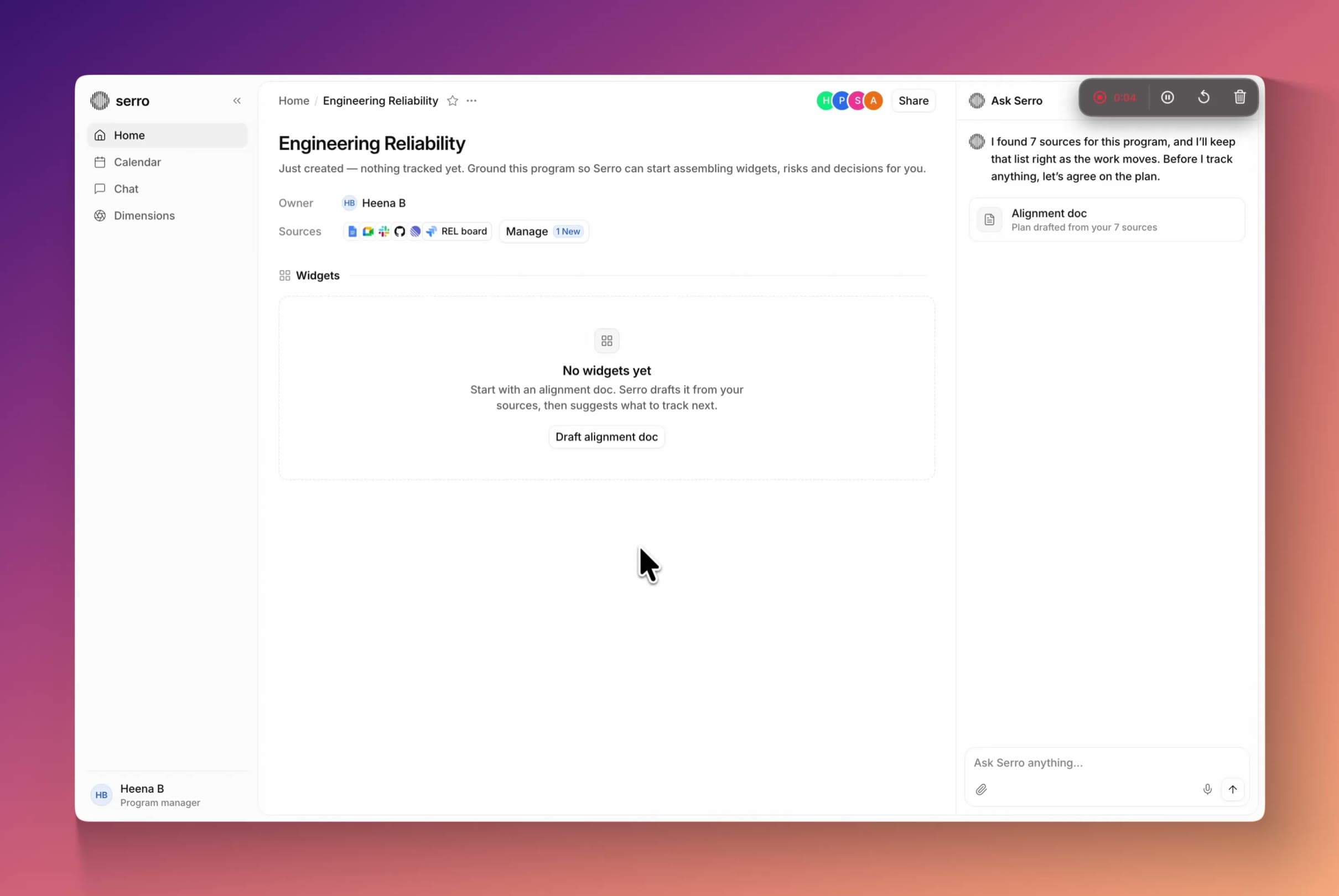
Engineering leaders start each day checking several tools to find what needs them. Serro reads Slack, Jira and meetings for them, and the Ask Serro panel turns what it finds into one inbox of risks, deadlines and to-dos.
- Role
- Founding product designer, and PM for Ask Serro
- Timeline
- Nov 2025 – Oct 2026
- Team
- Me, the CEO and 6 engineers
- Platform
- Web panel, Slack, email and voice
Overview
One panel that tells you what needs you, and lets you finish it
Ask Serro is the AI panel in Serro. I turned it from a chat box into an inbox: everything that needs you, already researched, ready to act on or ask about.
The impact
A program manager used to open eight programs one by one. Now they handle all of them in one sitting. Every problem Serro finds gets an owner, and a one-minute spoken summary replaces five open tabs.
- to clear the day’s inbox, down from about 15 min of checking tools.
- 2min
- of Serro’s weekly users now use Ask Serro.
- 89%
- seat adoption at an enterprise customer.
- 20x
Problem
A chat box waits for you to know what to ask
Ask Serro started as a chat box, and it was our most used feature. But you had to know what to ask. Nobody starting their day knows what changed overnight, and an empty box can’t tell them.
Meanwhile, risks and to-dos piled up in four different places, and nothing told people when they were done.
A program manager’s afternoon, before
- Slack“Anyone else not getting p99 alerts?” in #eng-reliability.
- JiraREL-238 closed without its alert rules.
- MeetingsMonday’s incident review flagged it. No owner.
- Notifications65 waiting, newest first, with no end.


People needed Serro to go first: show them what needs them, then let them ask.
Research
Watching what happened after the first answer
People asked one question, got an answer, and left. Use jumped after each launch, then faded.
- UsageA month of sessions at our most active customer: who came back, and when.
- ConversationsWhat people asked, and whether the answer helped. These became our test cases.
- MorningsHow managers find what needs them before the day starts.
- The second visitWhat would bring someone back tomorrow.
Ideation
Let Serro go first
Everyone knows how an inbox works: things arrive, you deal with them, and empty means done. Ask Serro works the same way, and you can still chat about any item.
- 01It arrivesSerro fills one inbox with what needs you, already researched.
- 02You clear itEach item has one action. The count drops until you’re all caught up.
- 03You askAny item can start a chat, and every answer ends with a next step.
The inbox, beside every page
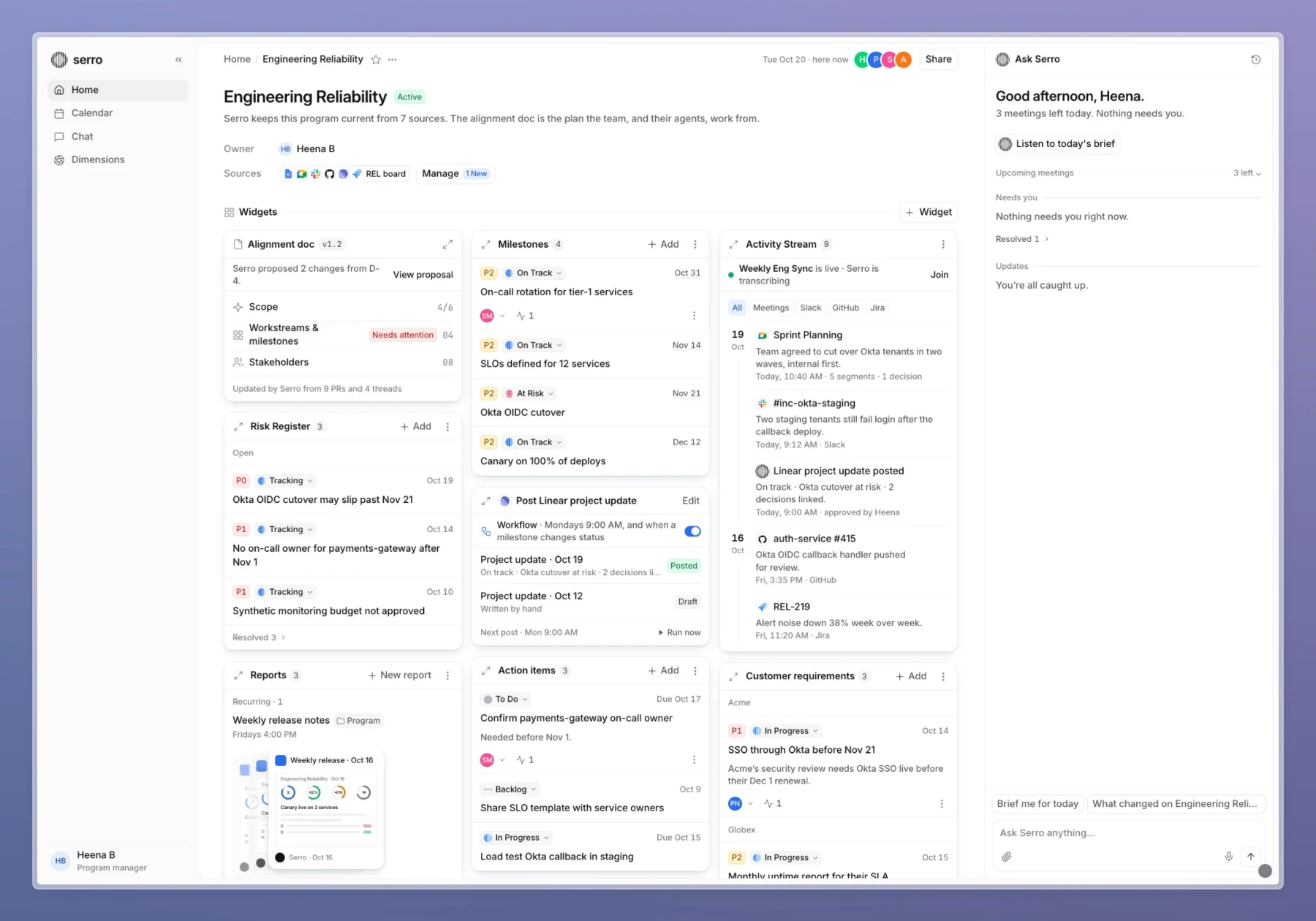
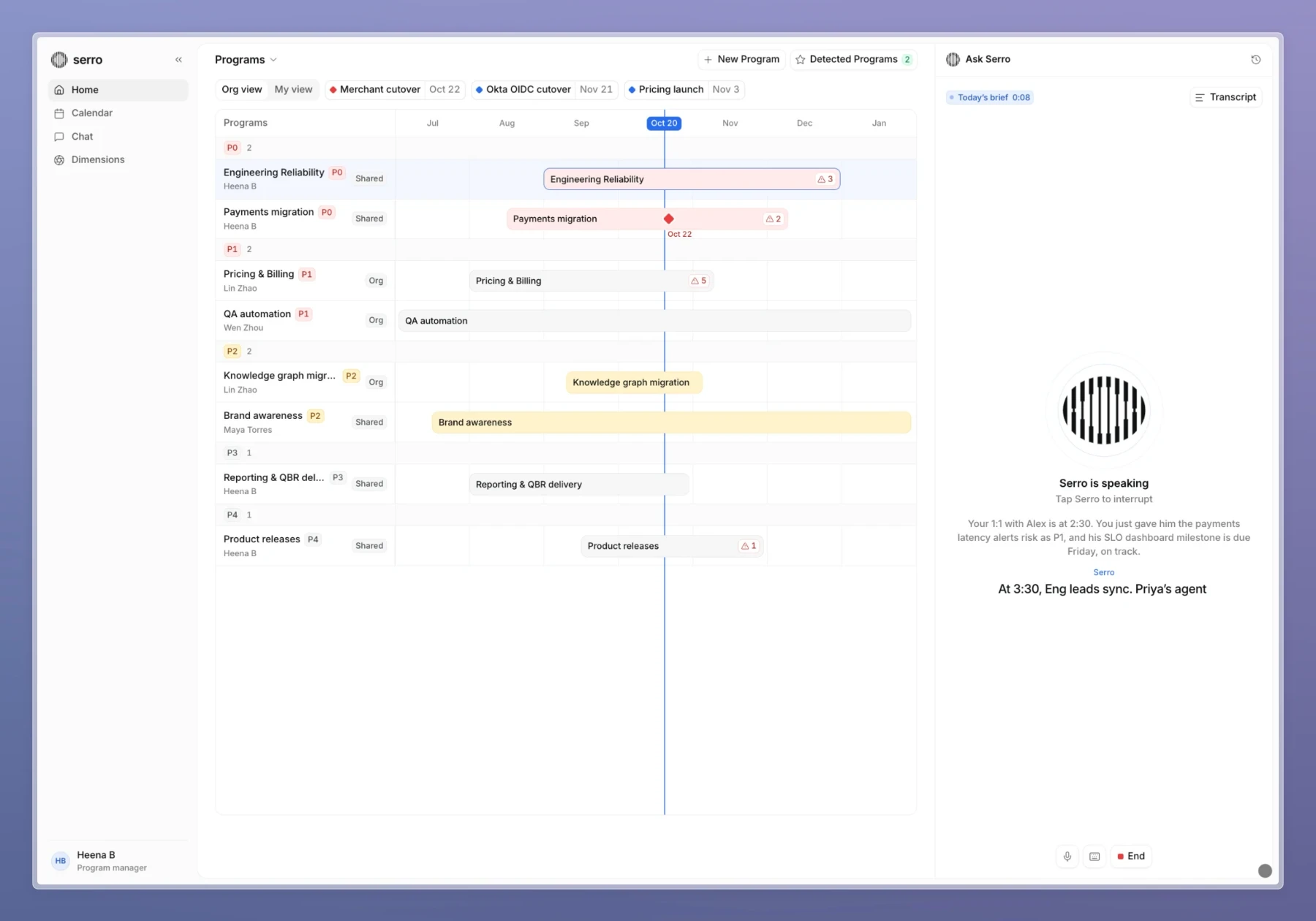
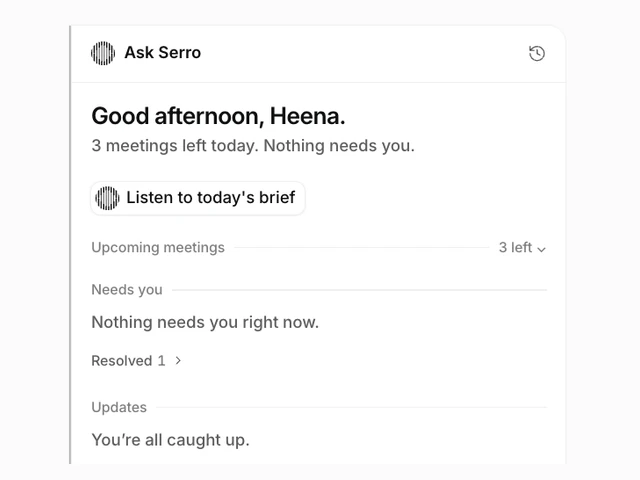
Ask Serro sits on the right of every page and follows what you’re looking at. When you’re caught up, it says so. Tap Listen, and it reads you today’s brief.
Designing the second visit
One visit is easy. Coming back every day takes a habit, so I built the inbox around a habit loop.
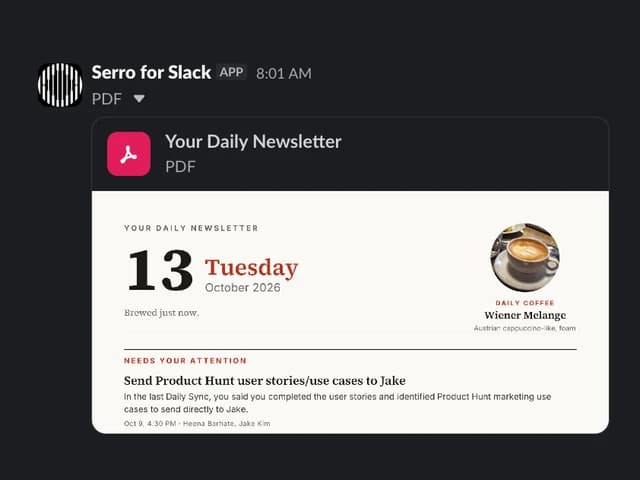
- 01 · TriggerA morning message: “3 items need you.”
- 02 · ActionClear an item in one click.
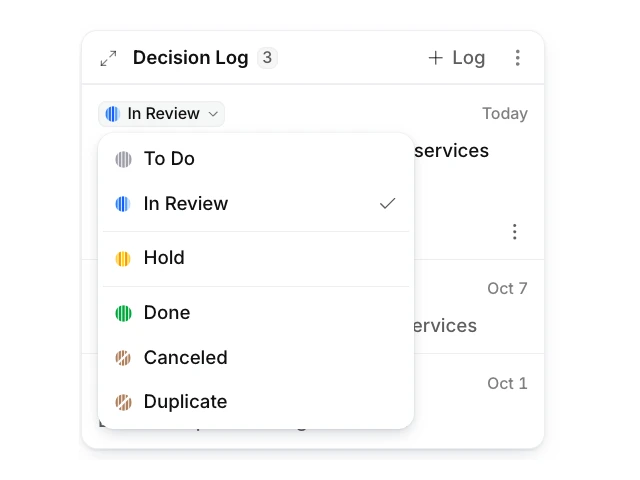
- 03 · RewardA risk you missed, or “all caught up.”
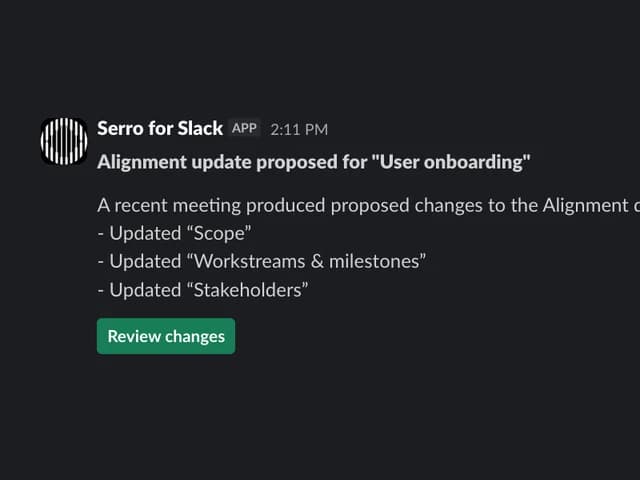
- 04 · InvestmentEach click makes tomorrow’s items sharper.
Designs
One set of statuses for people and agents
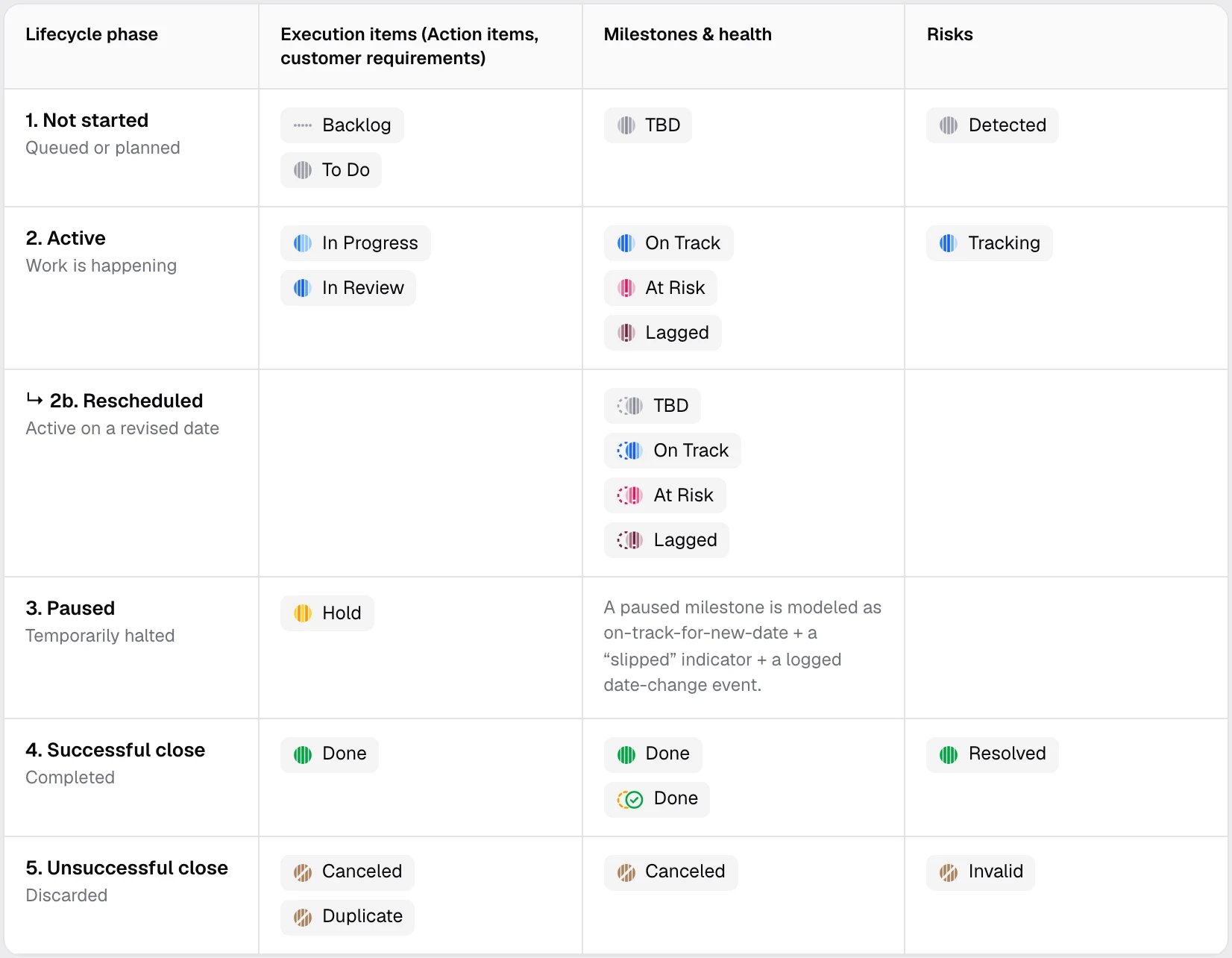
Risks, milestones and to-dos each had their own statuses, so nothing could be sorted together or cleared. I gave them one shared set.
Five stages for every item
Every item is in one of five stages: not started, active, paused, finished or dropped. A status changes once and shows the same everywhere: in the panel, on the program page and in the Gantt chart.
The status stays small
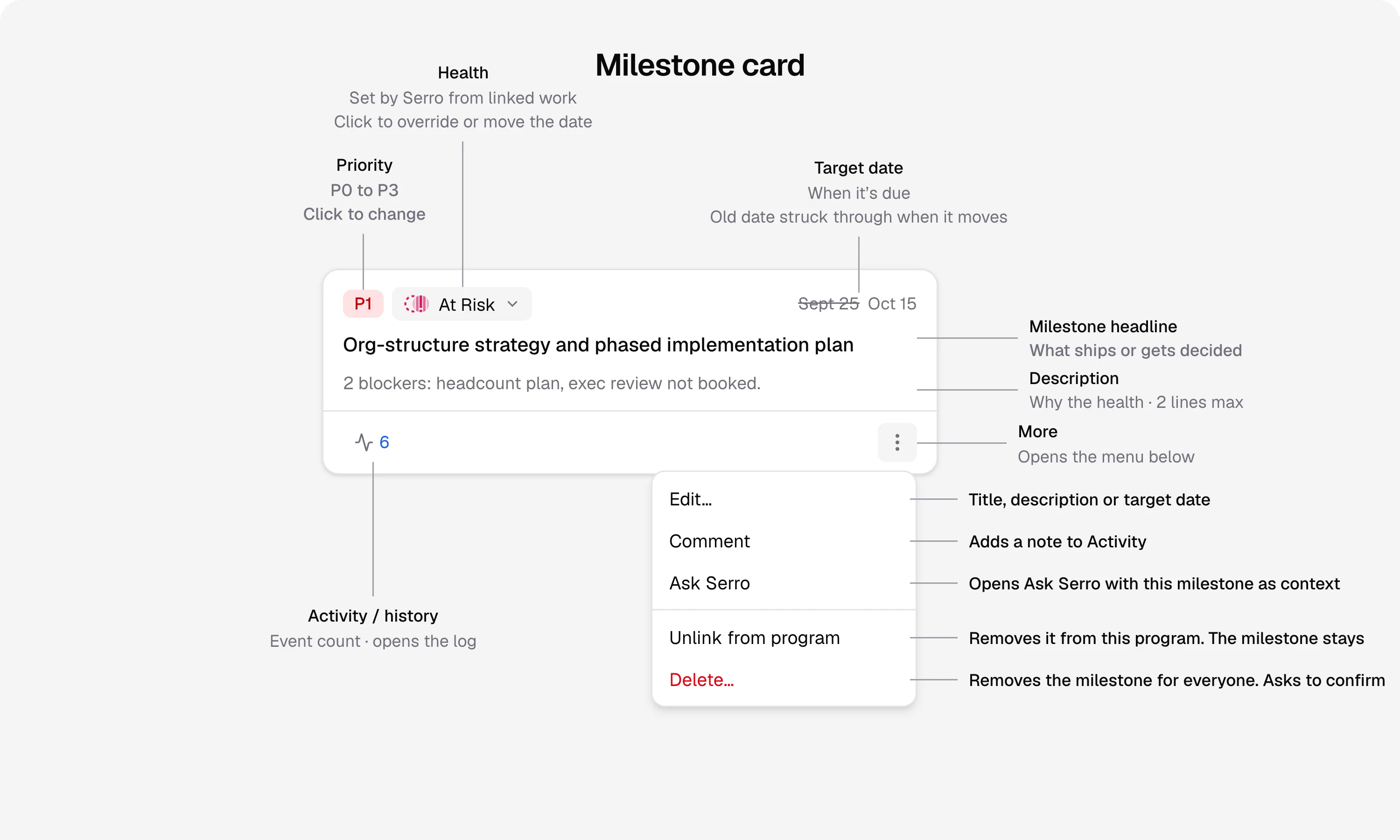
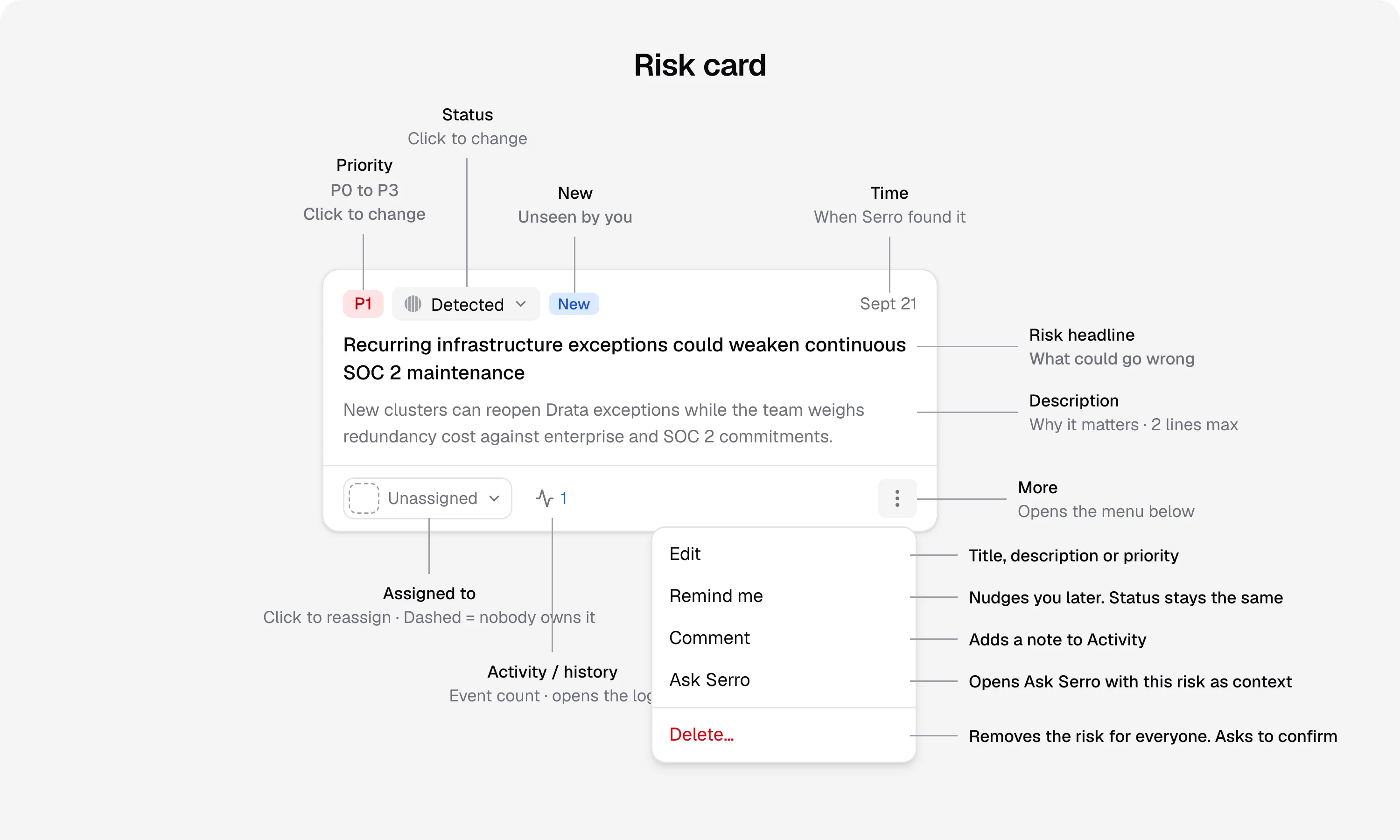
The status is one small tag. Owner, priority, dates and history each have their own spot on the card.
Who decides
Every risk has an owner. A serious risk puts its milestone At Risk. Serro can say a risk looks fixed, but only a person can close it.
The rules underneath
Four rules shaped every screen. Each one gives up a little speed to earn trust.
Interrupt only when it matters
Serro pings you only when something needs you or really changed. The item comes inside the Slack or email message, with one button.
Tradeoff: smaller updates wait for the digest.
Precision over volume
When Serro isn’t sure, it asks one person. Items people dismiss teach it what to skip.
Measured by: how many items people accept.
Context comes with you
The panel shows what fits the page you’re on: the whole org on Home, one program on a program page.
Tradeoff: to see another program’s items, you go to that program.
Answers you can act on
Every answer ends with next steps, like Ping owner or Track as risk. “Make it recurring” turns an answer into a scheduled report.
Tradeoff: open questions still get a written answer.
Lessons
What I believe now about agents that come to you
- 01
People try AI through chat. They come back when it shows them what needs them.
- 02
AI products need a moment when you’re done. An empty inbox is that moment.
- 03
A proactive agent is judged by what it leaves out. Every item that doesn’t need you costs trust.
- 04
A ping only works if there’s something worth coming back for.
More work
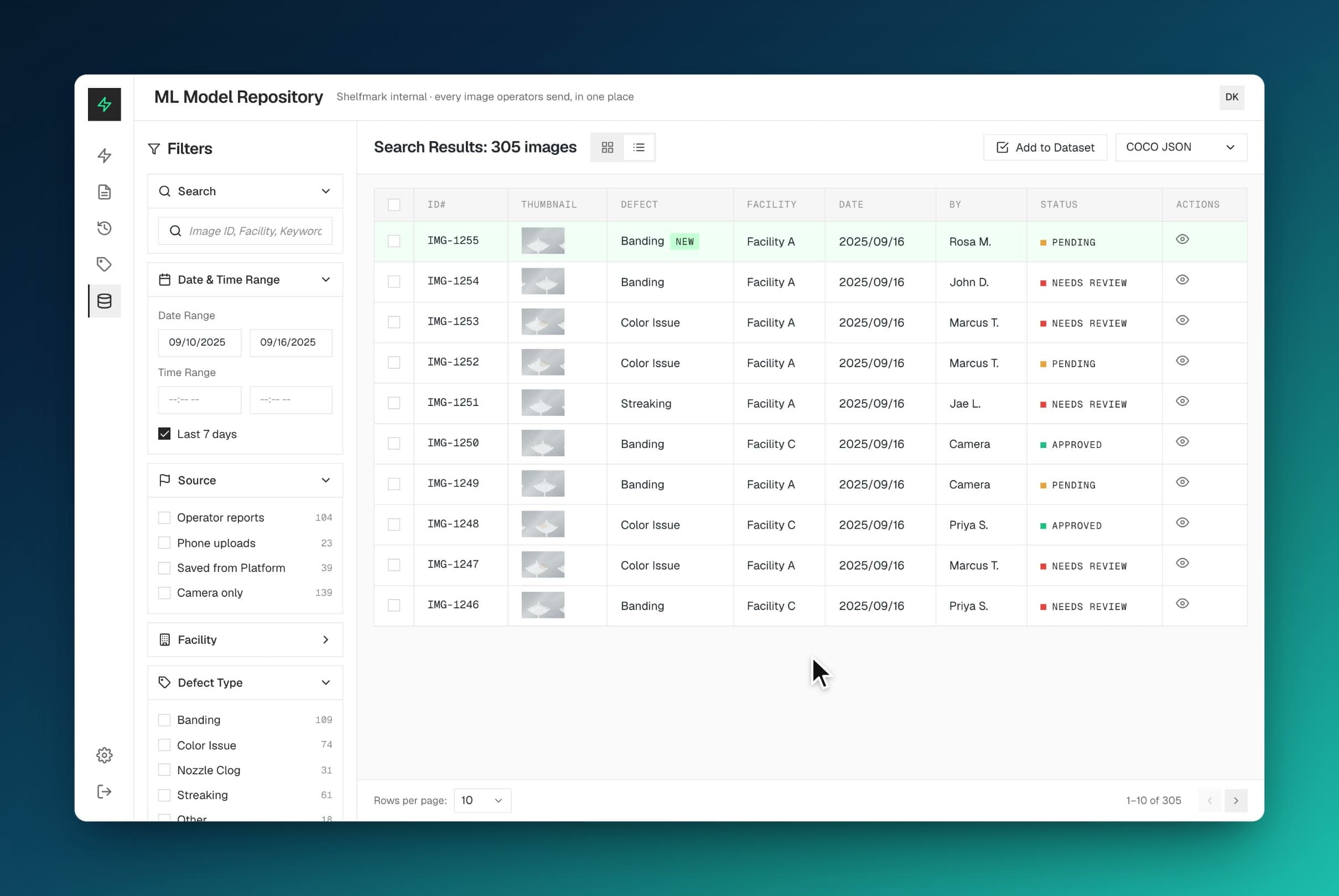
- 03Coming soonTeachable AI: quality control on the manufacturing factory floor
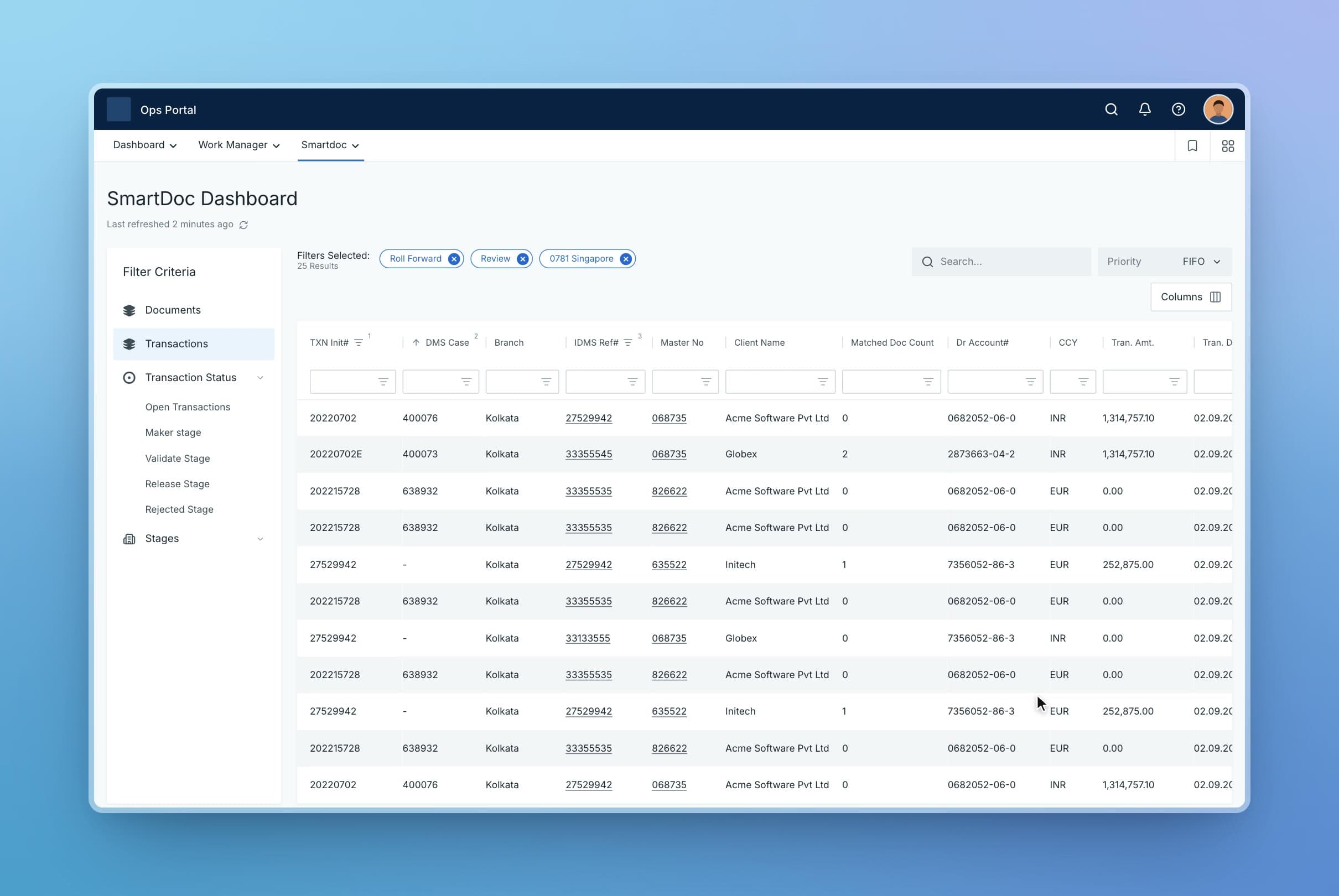
- 04Coming soonSimplifying document workflows at a global bank
- 01NextMultiplayer AI: shared workspace for people and agents